
Model, simulate, generate — one engineering notebook.
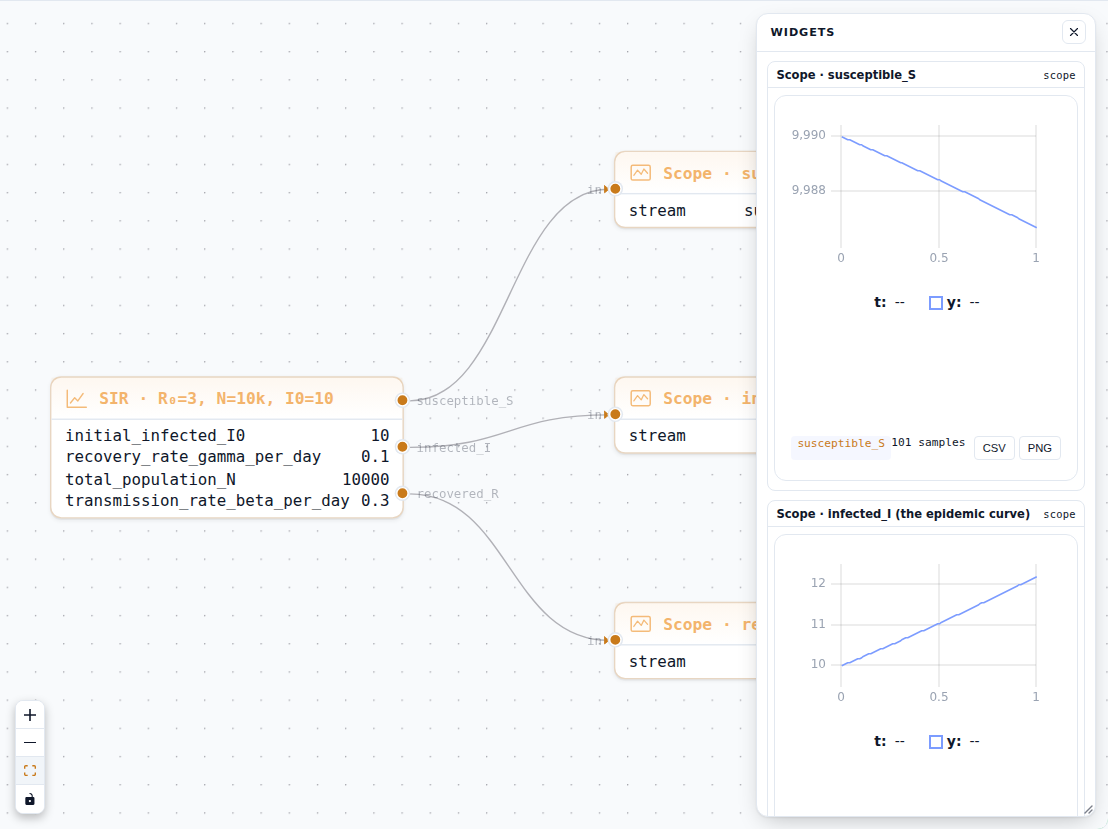
Every capability of DjiniousLab serves one loop: model your system as a digital replica, simulate and test it, then generate what ships. Integrated pillars, no toolbox unlocking, no per-seat add-ons.
…and every result flows back into the model. One closed loop.
Capture every aspect of the system.
The canvas and the notebook are where the digital replica takes shape — block-diagram physics and parametric geometry, side by side.
A block-diagram canvas that thinks like an engineer.
Compose multi-domain models on a fast, GPU-accelerated canvas. Acausal Simscape-class modeling means you draw the physics — the solver figures out the math. Algebraic-loop detection and Pantelides index reduction happen at compile time, not at 3 AM.
- 600+ blocks: signal, electrical, mechanical, rotational, hydraulic, thermal, pneumatic, DSP
- Solvers: Tsit5 (explicit), Rodas5P (stiff), IDA (DAE) — chosen per-subsystem automatically
- Live streaming scopes via Apache Arrow at >1 M samples/s with zero client-side buffering
- GIR → ModelingToolkit.jl pipeline: symbolic simplification before any number is crunched
- Subsystem hierarchy, variant management, and per-node parameter override in one place
Parametric CAD in a notebook cell, pure Python.
the3djin brings a BuildPart / ParameterSet API to the notebook: revolve, extrude, loft, fillet, chamfer, and boolean ops in plain Python. Call show(part) and an interactive Three.js scene appears inline; call sweep_part(...) to generate STEP/STL variant families with a live progress bar.
- Full CAD kernel: revolve, extrude, loft, offset, fillet, chamfer, boolean
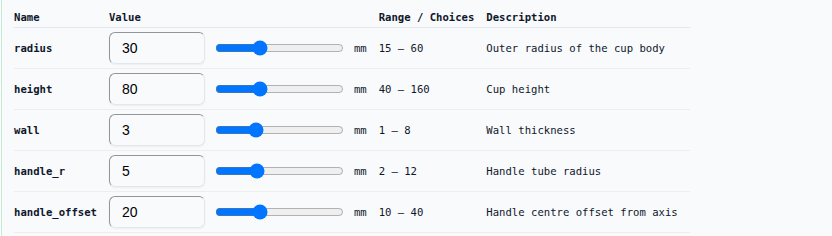
- ParameterSet — named params with bounds, units, expressions, and dirty-flag tracking
- show(part) → inline Three.js scene; show(sketch) → sanitized SVG; show(ps) → widget table
- sweep_part(...) generates STEP + STL for every combination; live progress bar per tick
- Export to STEP (open standard), STL, or attach the asset to a canvas block directly
from the3djin import Param, ParameterSet, BuildPart, show, sweep_part
import the3djin.ops as ops

ps = ParameterSet([
    Param("r_outer", 45, min=30, max=60, unit="mm"),
    Param("height",  90, min=60, max=120, unit="mm"),
    Param("wall",     4, min=2,  max=8,   unit="mm"),
])

def make_mug(p):
    with BuildPart() as mug:
        ops.cylinder(radius=p.r_outer,        height=p.height)
        ops.cylinder(radius=p.r_outer-p.wall, height=p.height, mode="subtract")
        ops.fillet(radius=2)
    return mug.part

show(make_mug(ps))       # → inline Three.js viewport
show(ps)                 # → parameter widget table

sweep_part(make_mug, ps) # → STEP + STL for every combination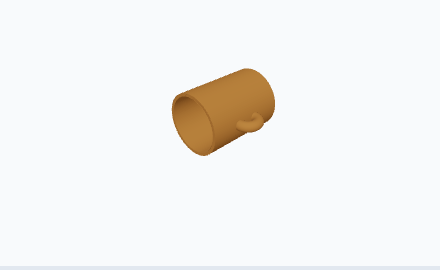
Run the replica. Prove it before hardware.
A reactive notebook, eight renderer flavours, and a full optimisation/RL studio — all streaming live as the solver integrates.
A reactive notebook that keeps downstream cells honest.
Edit any upstream cell and every dependent cell re-evaluates automatically — Pluto-style reactivity without the lock-in. A persistent WebSocket REPL lets you interrogate live state without re-running the whole notebook.
- Julia and Python kernels; each cell's stdout/stderr streams back as it executes
- Magic-prefix renderers — Plotly, Three.js, maps, SVG, parameter widgets, progress bars
- Drag-to-reorder cells; resize output panes inline; output persists across page reloads
- REPL shares the kernel process — inspect, patch variables, re-run from any cell
- Notebook cells can drive canvas runs, read scopes, and emit STEP/STL assets
using DjiniousKernel, Plots

# Reactive: change α → this cell + all dependents re-run
α = 0.35   # damping ratio

# Run the canvas model and capture scope traces
result = run_canvas("motor_drive"; params=Dict("damping" => α))

t  = result.time
ω  = result.signals["ω_shaft"]   # rad/s — streamed via Arrow

# Inline Plotly chart (magic prefix __PLOTLY__)
plot_inline(t, ω; title="Shaft speed (α=$(α))")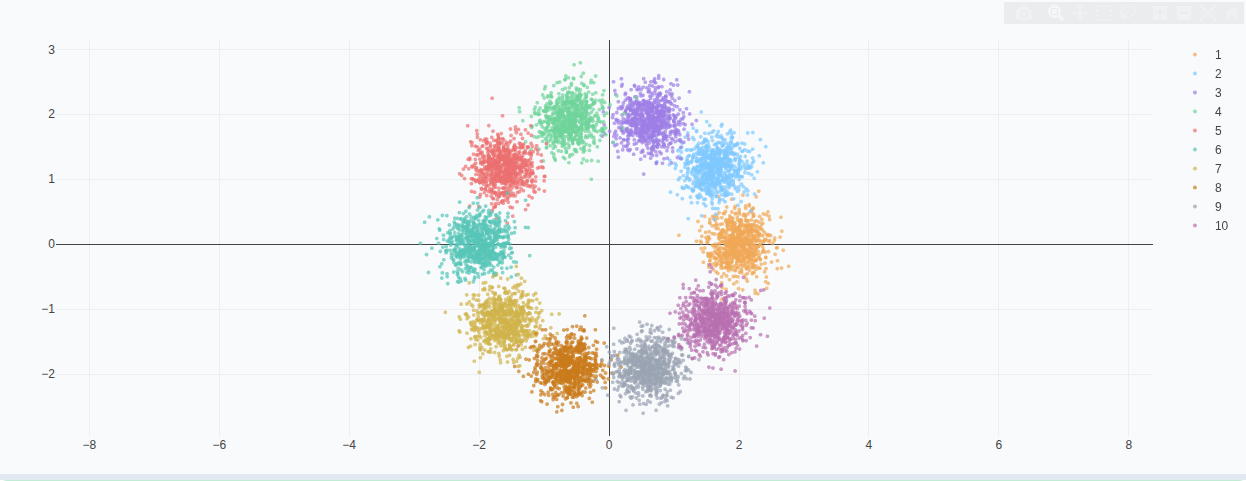
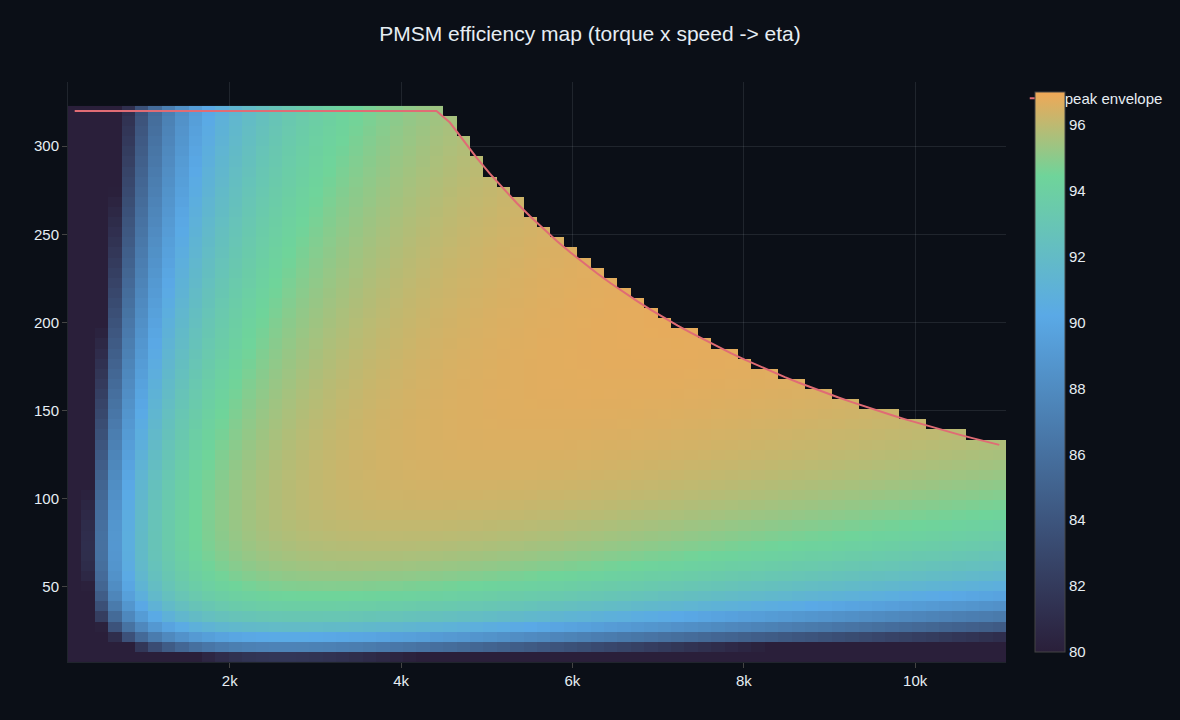
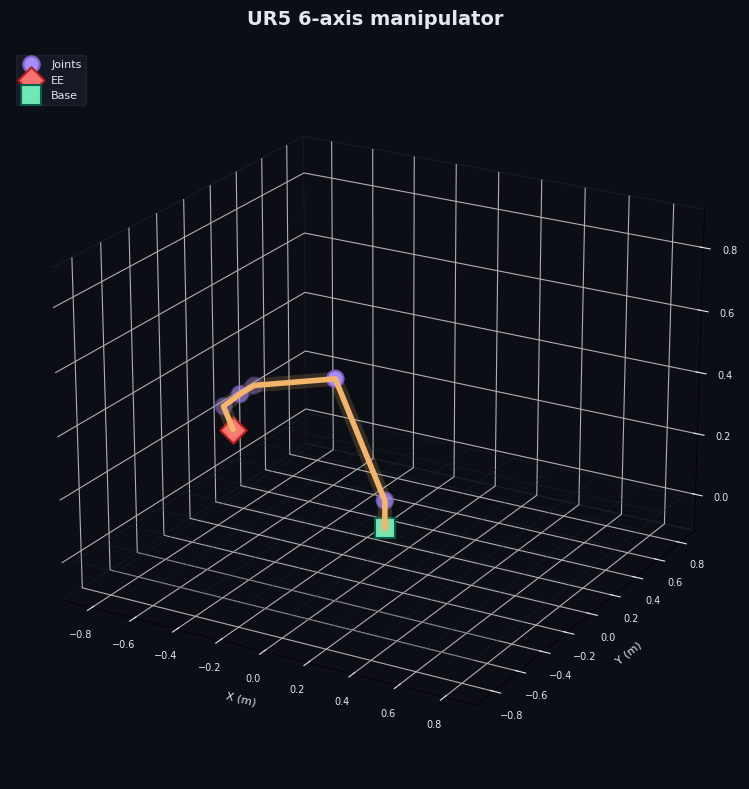
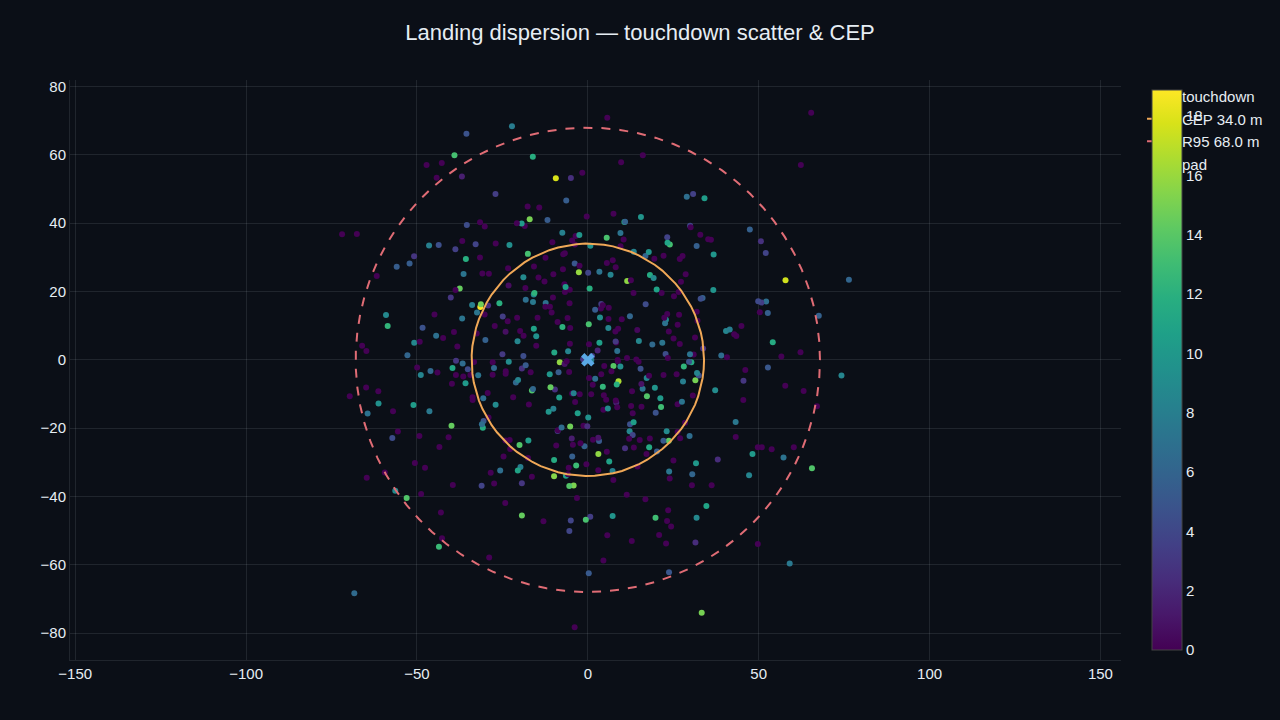
Eight renderer flavours — rendered as the solver runs.
Every magic-prefix renderer is lazy-loaded so the entry bundle stays lean. Outputs stream into the notebook cell in real time: no waiting for a run to finish before you see the first plot tick — from a Plotly surface to a satellite swarm orbiting a Cesium globe.
- Plotly → Plotly.js 2D/3D — scatter, heatmap, surface, bar, candlestick, …
- 3D Scene → Three.js scene graph — mesh, sphere, box, points, axes, orbit controls
- Cesium Globe → CesiumJS 3D globe — points, polylines, extruded-polygon choropleth, key-free imagery
- Geo Map → Leaflet maps — markers, circles, polylines, GeoJSON layers
- SVG → sanitized inline SVG (script / foreignObject / on* stripped)
- Canvas → inline React-Flow render of a canvas / GIR, with a live Run button
- Widget → read-only parameter table from ParameterSet (sliders in Phase 2)
- Progress → live slim progress bar; last-block-wins so sweeps stay readable
all renderers lazy-loaded · streams as the solver runs
Optimize, sweep, and train a policy — from the same canvas.
The Studies panel runs alongside the canvas, not in a separate tool. Every study emits live progress to the notebook, and trained policies export directly as blocks you can drop back into the model.
- Parameter optimization: Latin Hypercube, CMA-ES, Nelder-Mead, Bayesian GP
- Cartesian sweeps: all combinations with live progress ticks per iteration
- Reinforcement learning: PPO, DDPG, SAC — train against the simulation environment
- Trained RL policy exports as an FMU or as a native DjiniousLab block
- All studies attach their GIR hash + seed so every run is reproducible
| iter | loss | progress |
|---|---|---|
| 1 | 0.9412 | |
| 25 | 0.3871 | |
| 50 | 0.1204 | |
| 100 | 0.0318 | |
| 200 | 0.0071 |
Turn the validated replica into what ships.
Deterministic embedded firmware and FMI units today; physical parts via generative design as the direction we're building toward.
One model. Browser, cloud, or silicon.
Compile any canvas model to deterministic, no_std Rust firmware via ModelingToolkit + StaticCompiler — the same symbolic pipeline that runs the solver drives the emitter. No hand-written wrappers, no bit-rot between sim and deployment.
- Targets: STM32, ARM Cortex-M, ESP32/RISC-V, WASM (browser / edge), x86-64
- FMI 3.0 export — drop the compiled unit into any FMI-compatible tool
- Bit-exact cross-target replay: CI verifies the firmware matches the simulation trace
- Output is #![no_std] Rust — auditable, no_alloc, ready for IEC 61508 review
- djl canvas build <model> --target <arch> — one command, zero GUI clicks
$ djl canvas build motor_drive --target cortex-m4f

  ✔ Loaded    GIR  f3a8c2d
  ✔ Lowered   ModelingToolkit.jl  (symbolic pass)
  ✔ Emitted   Rust  #![no_std]  — 2 148 LoC
  ✔ Compiled  thumbv7em-none-eabihf
  ✔ FMI 3.0  motor_drive.fmu  (co-simulation)
  ✔ Replay checksum  matches sim trace  ✓

Output: ./build/motor_drive_cortex-m4f.elf  (48 kB)
        ./build/motor_drive.fmu

Supported targets:
  cortex-m4f  cortex-m33  esp32s3  riscv32imac
wasm32-unknown-unknown x86_64-unknown-linux-muslFrom validated model to physical part.
The same notebook that models and simulates your system is where its physical parts take shape. Today, the3djin gives you a full parametric CAD kernel — revolve, loft, boolean, sweep — with STEP/STL export straight from a cell. Generative design, where you hand the solver a load case and let it shape the part, is the direction we are building toward.
- the3djin parametric CAD in a notebook cell, pure Python — shipping today
- ParameterSet sweeps emit STEP + STL variant families per combination
- Attach generated geometry to a canvas block as a first-class asset
- Roadmap: topology / generative optimisation driven by simulated load cases
- Roadmap: a closed loop from simulated stress field to printed or machined part
Open, collaborative, reproducible.
Interoperability and team collaboration sit under every pillar — open standards in and out, multi-user editing, and bit-exact provenance on every run.
Open standards in, open standards out.
Your existing models and your partners' models plug straight into the canvas. FMI 3.0 import wraps any compliant unit as a first-class block; FMI 3.0 export compiles any DjiniousLab model for co-simulation elsewhere. Simulink-style block semantics mean an experienced modelling team is productive in an afternoon.
- Simulink-style block semantics: rate transitions, bus creator/selector, From/Goto
- FMI 3.0 import: wrap any compliant .fmu as a first-class canvas block
- FMI 3.0 export: compile any DjiniousLab model for co-simulation in third-party tools
- MATLAB model import to ease migration from an existing block-diagram codebase
- Bit-exact cross-target replay: deterministic output regardless of OS or hardware
| FMI 3.0 import | Any compliant .fmu → canvas block |
| FMI 3.0 export | Model → co-simulation unit |
| MATLAB import | Migrate existing block diagrams |
| STEP / STL | Geometry from the3djin |
| Git-native | Projects as plain repositories |
Multi-user editing, autosave to git, full provenance.
Yjs CRDT keeps canvas and notebook state in sync across every open tab without merge conflicts. Every run is branded with the GIR hash of the model that produced it — replayable, auditable, diff-able.
- Yjs CRDT: simultaneous canvas edits with presence cursors, zero merge conflicts
- Autosave to git: every save creates a commit; branch, diff, and revert from the UI
- GIR hash on every run: link any result back to the exact model state that created it
- Bit-exact replay: re-run any past job and get numerically identical output
- Per-user provider config encrypted at rest; MCP bearer tokens for CI/CD pipelines
f3a8c2dtune damping ratio α=0.35just nowe91b3f1add thermal subsystem3 min agoc7d4a09baseline motor_drive v21 hr agoReady to see it on your models?
We'll walk your team through DjiniousLab on the workflows that matter to you — canvas, notebook, code-gen, or all three.